Add titles, lower thirds and callouts (Motion)
Put animated lower thirds, titles and callouts over a recording with Recordful Motion, edit their words, bring your own HyperFrames design, and export them with the video.
Recordful Motion adds animated graphics over your video: a lower third with a name and a role, an opening or chapter title, a number callout or a highlighted sentence. They are made with HyperFrames, play over the whole picture, and export with the video.
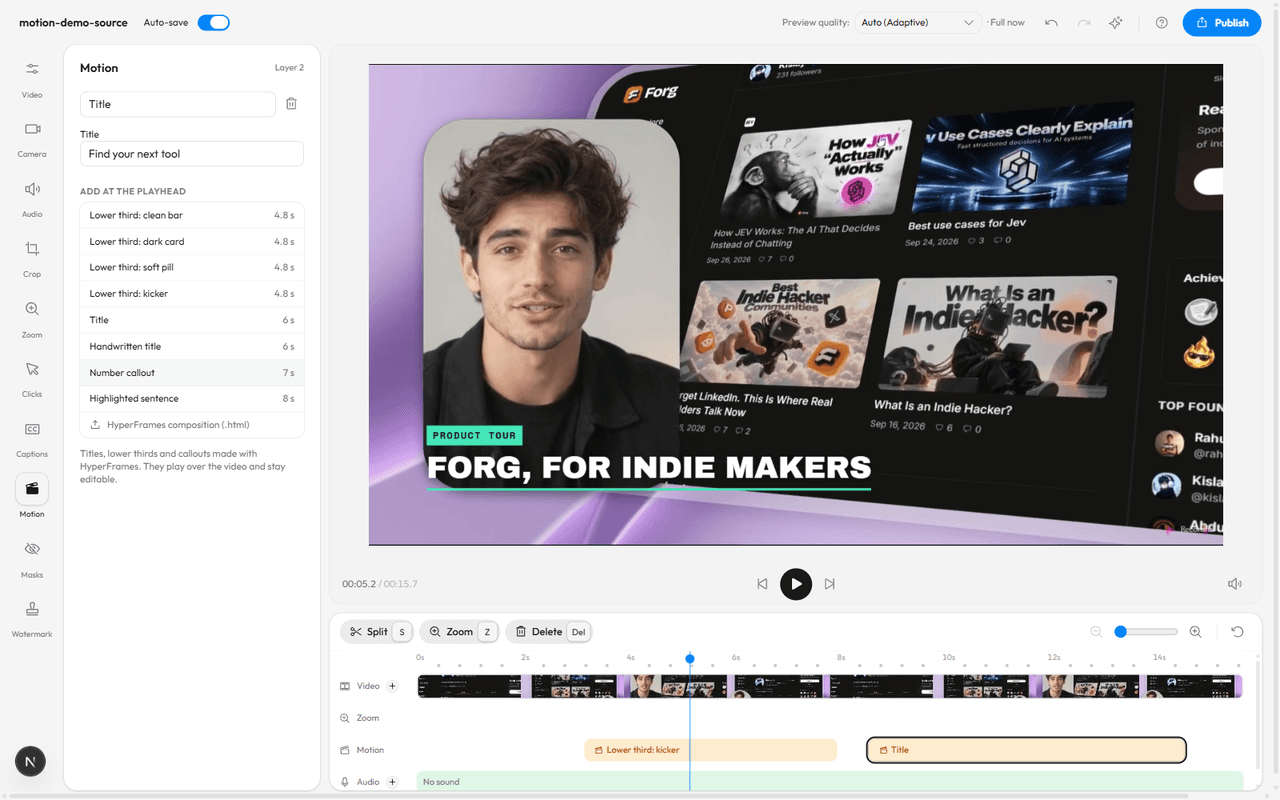
In the web editor
- Open a recording in the editor and move the playhead to where the graphic should start.
- Click Motion in the left rail, or press 8.
- Pick a graphic from the list. It lands at the playhead, plays for its own length (shown next to its name), and is selected.
- Type its words in the fields: Name and Role for a lower third, Title for a title, Number, Out of and Label for a number callout. The preview redraws as you type.
- Drag the layer on the Motion row of the timeline to move it, or drag its ends to make it shorter. Delete it with the bin next to its name.
A long title shrinks to fit the frame. A video can hold up to 10 motion layers.
The graphics
| Graphic | Fields | Length |
|---|---|---|
| Lower third: clean bar, dark card, soft pill | Name, Role | 4.8 s |
| Lower third: kicker | Kicker, Name | 4.8 s |
| Title | Title | 6 s |
| Handwritten title | Title | 6 s |
| Number callout | Number, Out of, After the number, Label, Caption | 7 s |
| Highlighted sentence | Sentence | 8 s |
Which browsers show it
Motion layers show and export in Chrome 157 or later and in the desktop app. In another browser the editor keeps your layers and says where they can be seen and exported.
Let the Agent place them
With the Recordful Agent (Pro), ask for graphics in words:
- "Add a lower third when I introduce myself."
- "Put a callout on the conversion number."
- "Add a title at the start: Product tour."
- "Change the role on the lower third to Founder."
The Agent reads the transcript, uses its words, and starts each graphic just before the moment it matches. If it doesn't know a name or a role, it asks. Every change can be undone with Ctrl+Z.
Use your own design
Any HyperFrames composition works: a single .html file, up to 400 KB, with its fonts and pictures inside it. Click HyperFrames composition (.html) at the bottom of the list. Text in it that sits in an element with an id becomes a field you can edit.
To have an AI app write one, connect it to Recordful with the Recordful MCP server. It gets a make_motion prompt and a recordful-motion skill with shot recipes and a checklist, so the result doesn't look generated.
In the desktop app
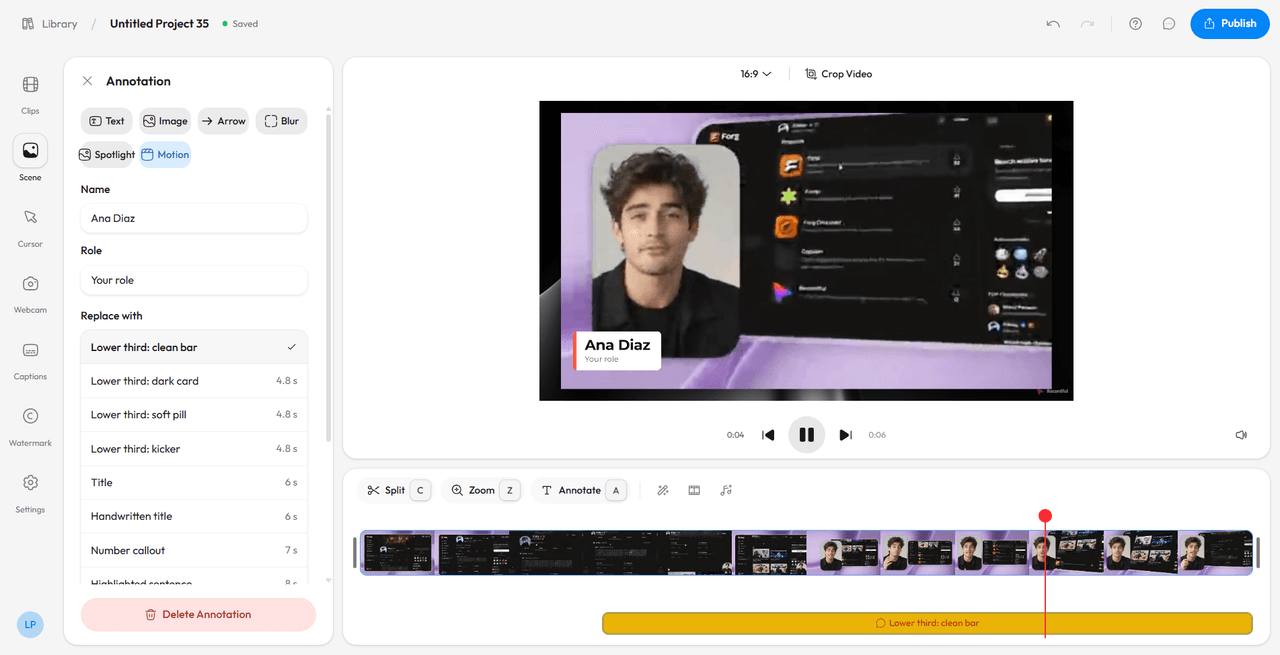
- Add an annotation: press A, or click Annotate above the timeline.
- In its settings, pick Motion, then a graphic from the list.
- Type its words. It plays over the whole video, under the captions, and exports with it.
Good to know
- Nothing is uploaded to make a graphic. It runs on your computer in a sealed frame with no network access, and each frame is drawn into the preview and the export.
- Motion layers are saved with the edit, including a cloud recording's edit.